Evaluation starts with registration
Evaluation access requires account creation and email verification so the simulator can associate scenarios, notes, and subscription status with a verified user.
Demo access is intentionally limited
Evaluation users can explore the workflow, but some controls and generated reports are limited or marked for demo use until a subscription is active.
Subscription unlocks full simulator use
After subscription activation, the account status changes to licensed and the simulator opens full access to professional BAC workflow controls.
Account workflow
The process has four parts: create, verify, subscribe, and confirm access.
This walkthrough keeps each screenshot tied to the account state it represents, making it easier to see why email verification happens before evaluation use and why subscription confirmation is checked before full simulator access is shown.
Create
Create and verify the evaluation account
Start with registration, accept the license workflow, and verify the email address before the account can be used.
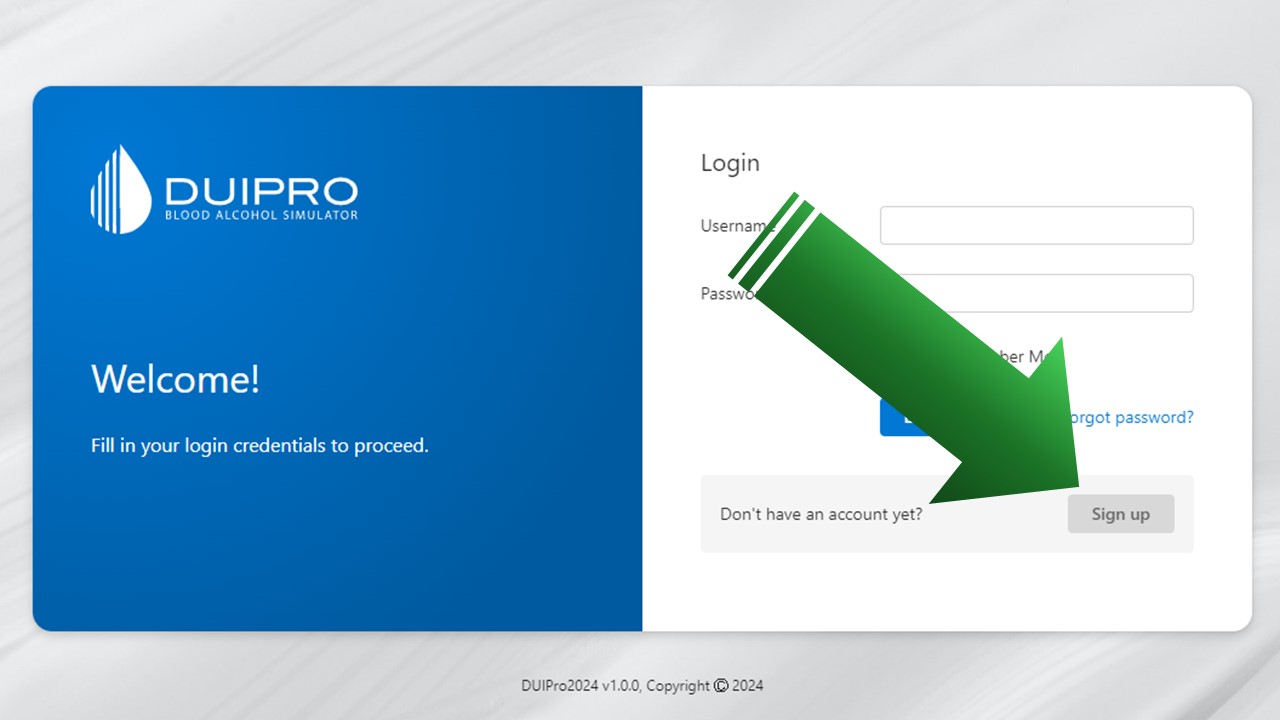
Sign up to start
Open the sign-up workflow from the login screen to begin creating a DUI Professional account.
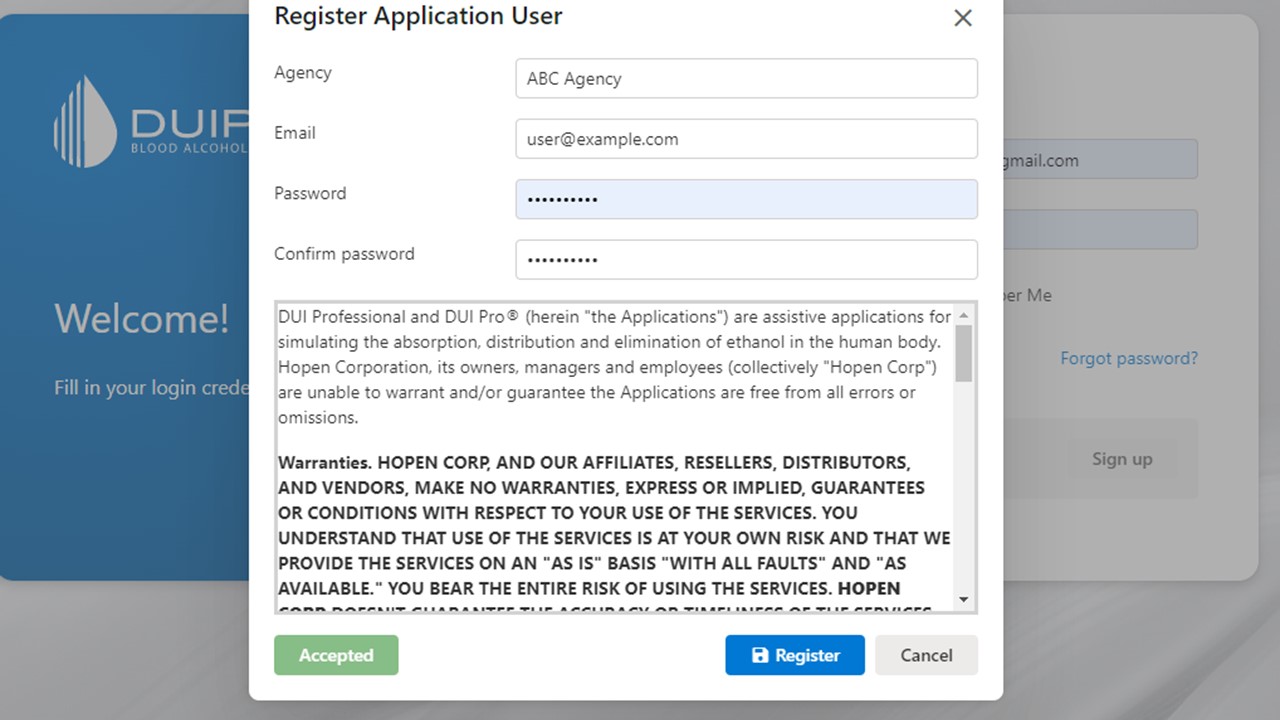
Create the account
Enter the required account details and complete the license-agreement step before the account can proceed.
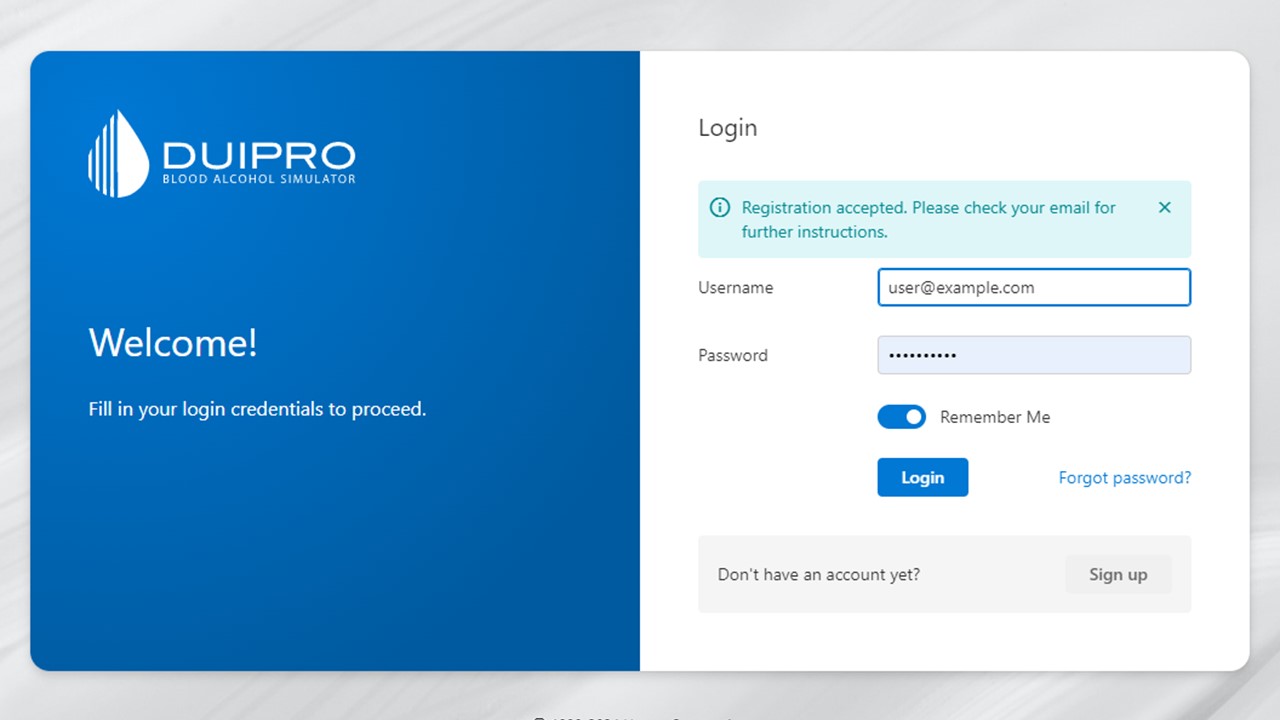
Verify the email requirement
The user must verify the registered email address before normal access is available.
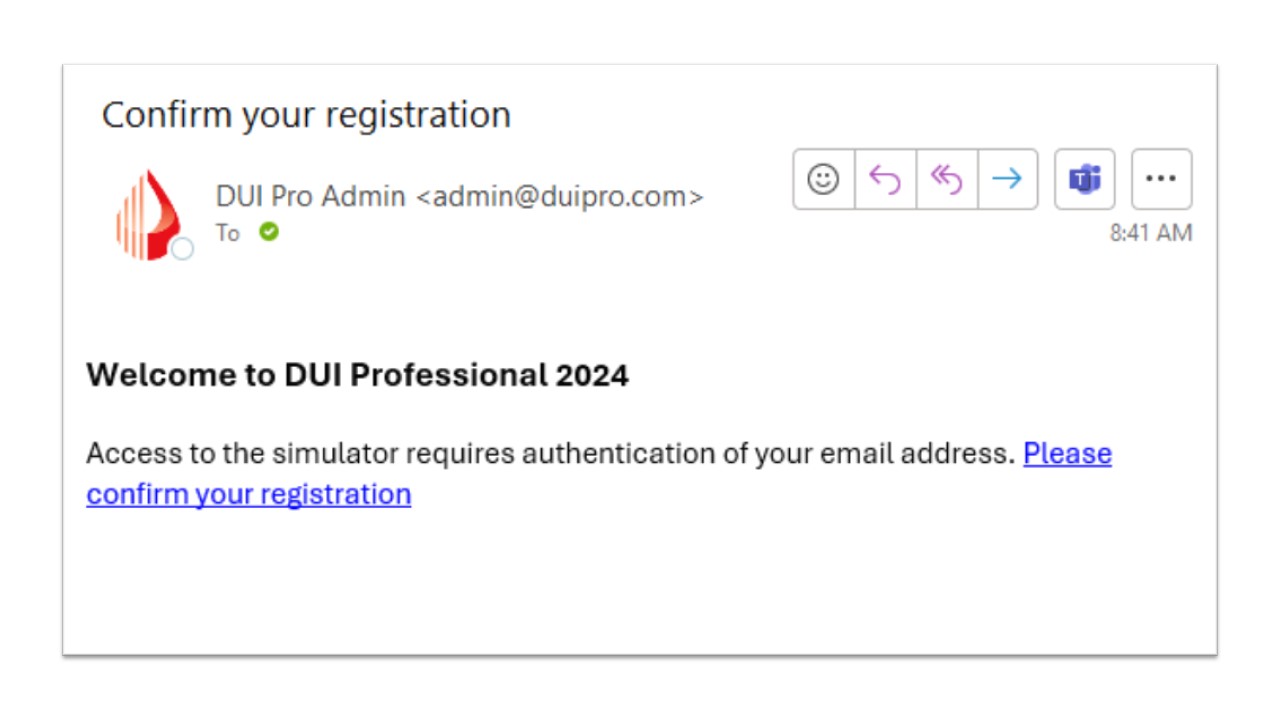
Open the verification email
Check the registered email inbox and follow the verification link to complete the account setup.
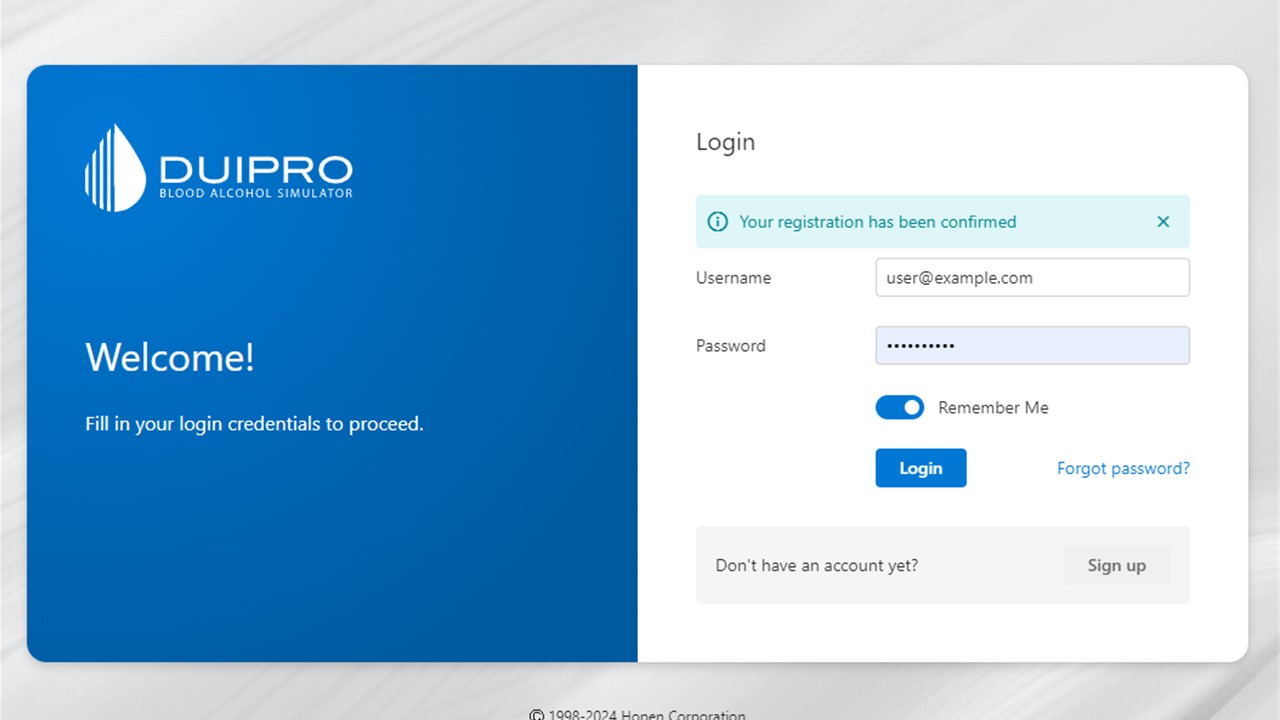
Log in with evaluation access
After email verification, log back in to reach the evaluation account area.
Evaluate
Review the account area and demo limits
Evaluation access lets the user enter the simulator while making it clear that a subscription is needed for full professional use.
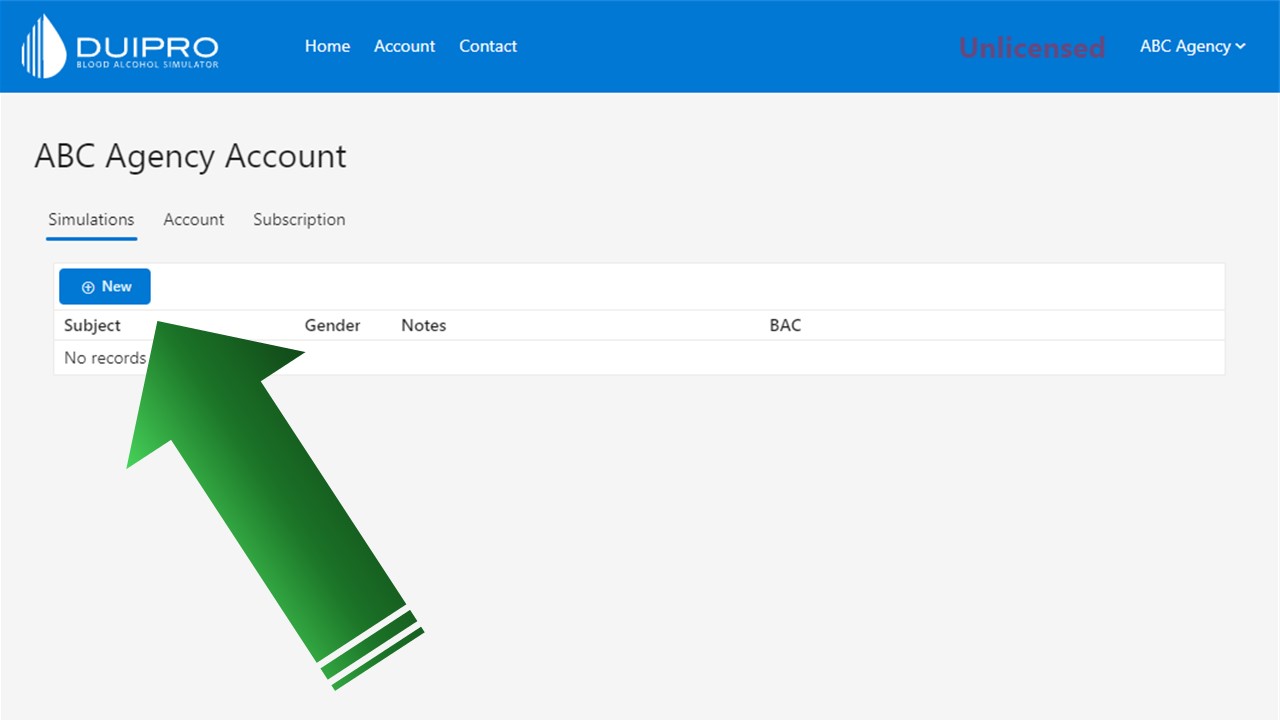
Create a new simulation
The account area provides access to the simulations tab and the control used to begin a new scenario.
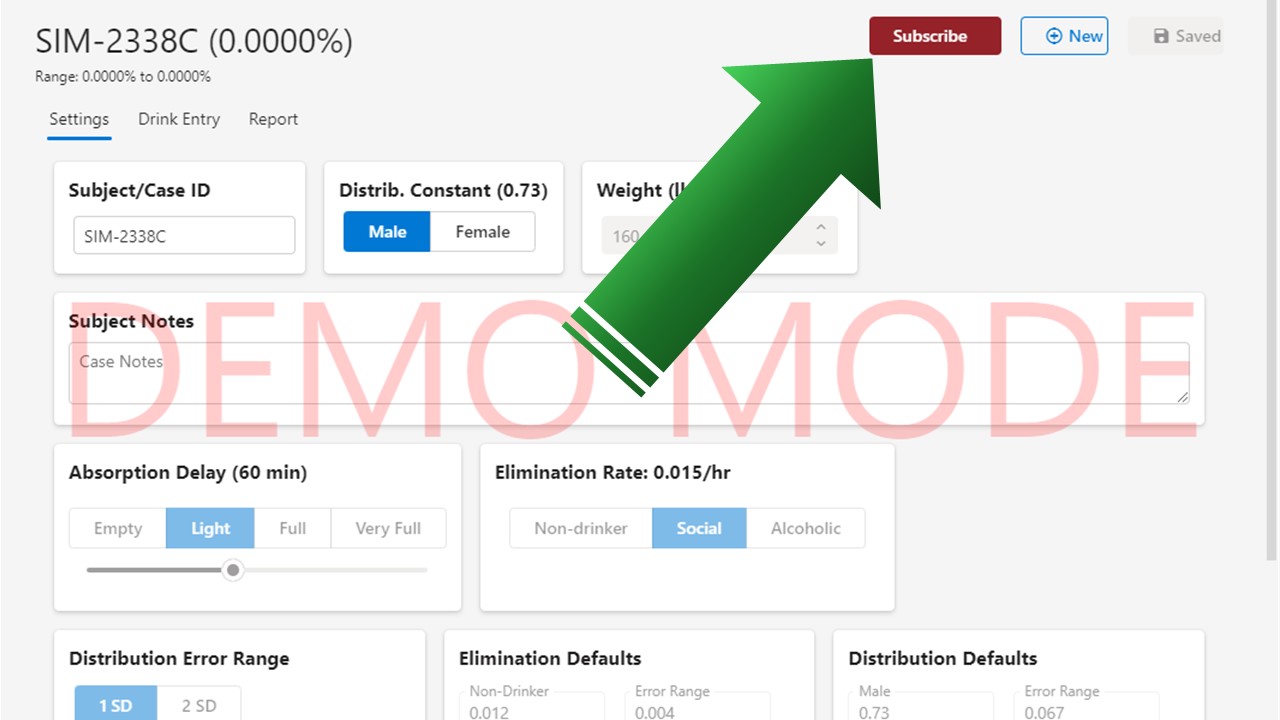
Move from demo to subscription
When the account is not fully licensed, the subscription option is available from the account workflow.
Subscribe
Select a subscription and complete checkout
Choose the subscription that matches the user or organization, then initiate PayPal checkout from the application.
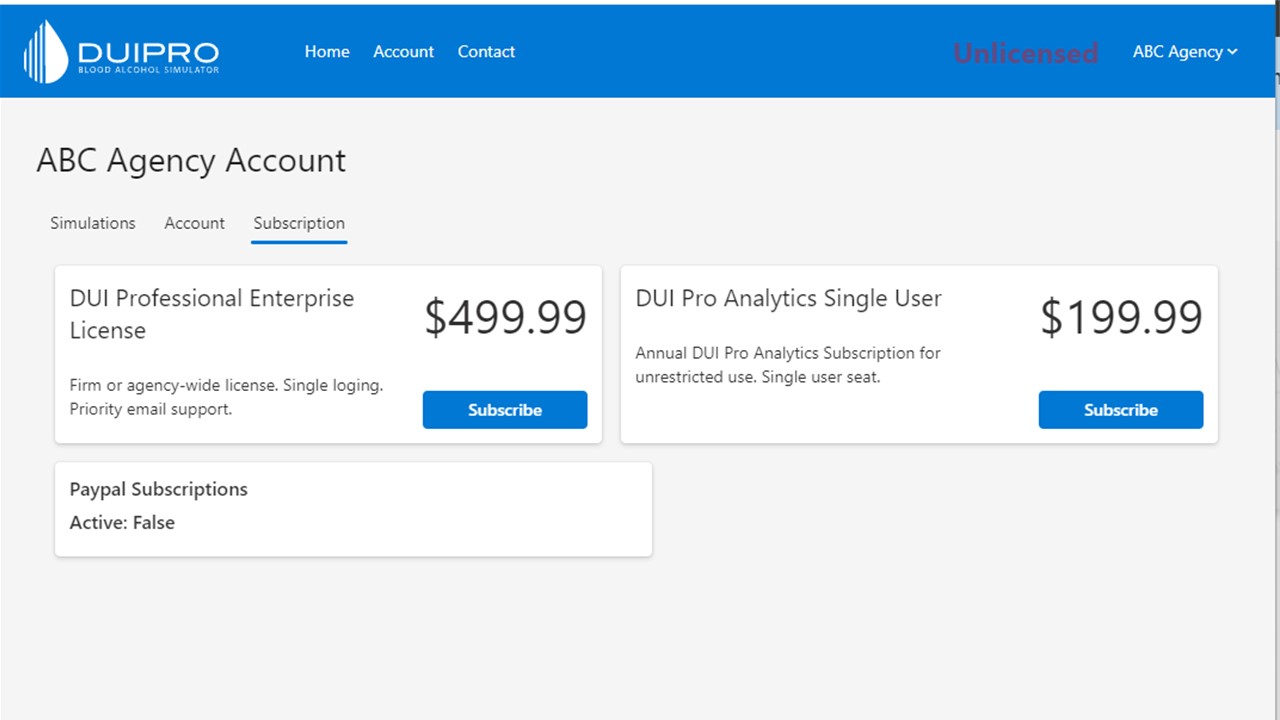
Select a subscription
The subscription tab presents the available license options for single-user or broader account access.
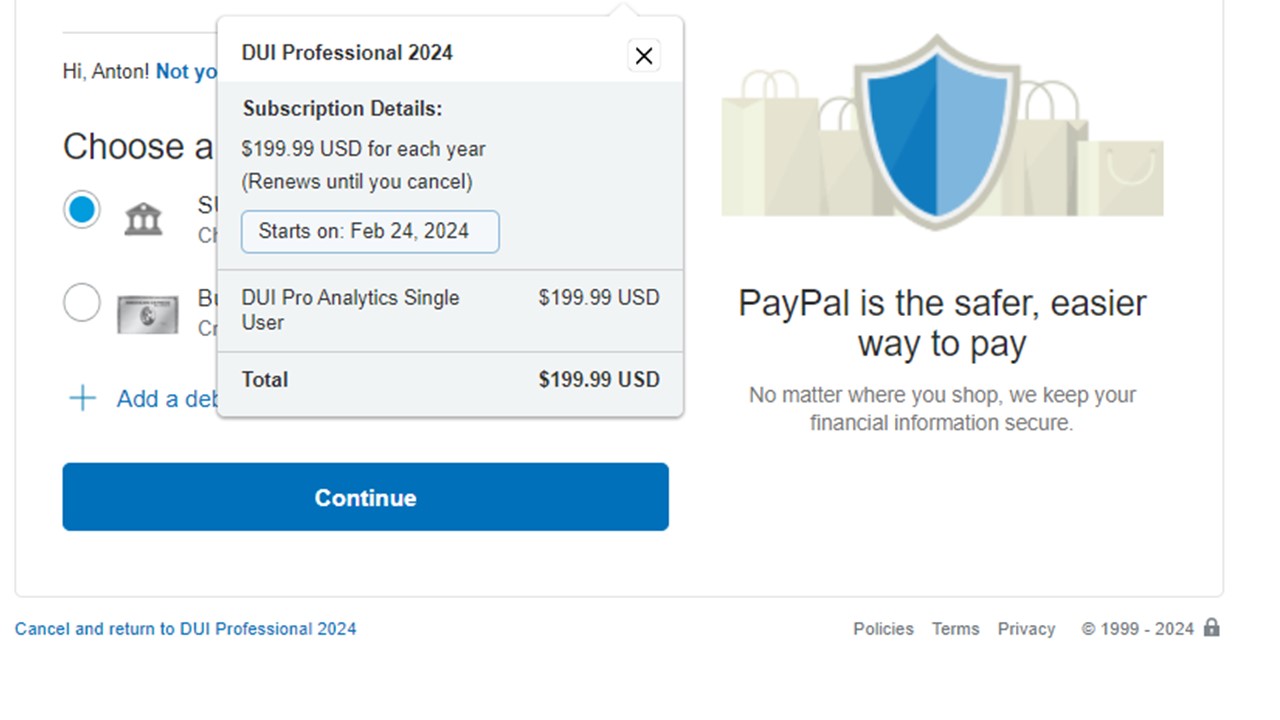
Initiate PayPal subscription
The PayPal flow starts from the selected plan so payment and subscription status can be returned to the DUI Professional account.
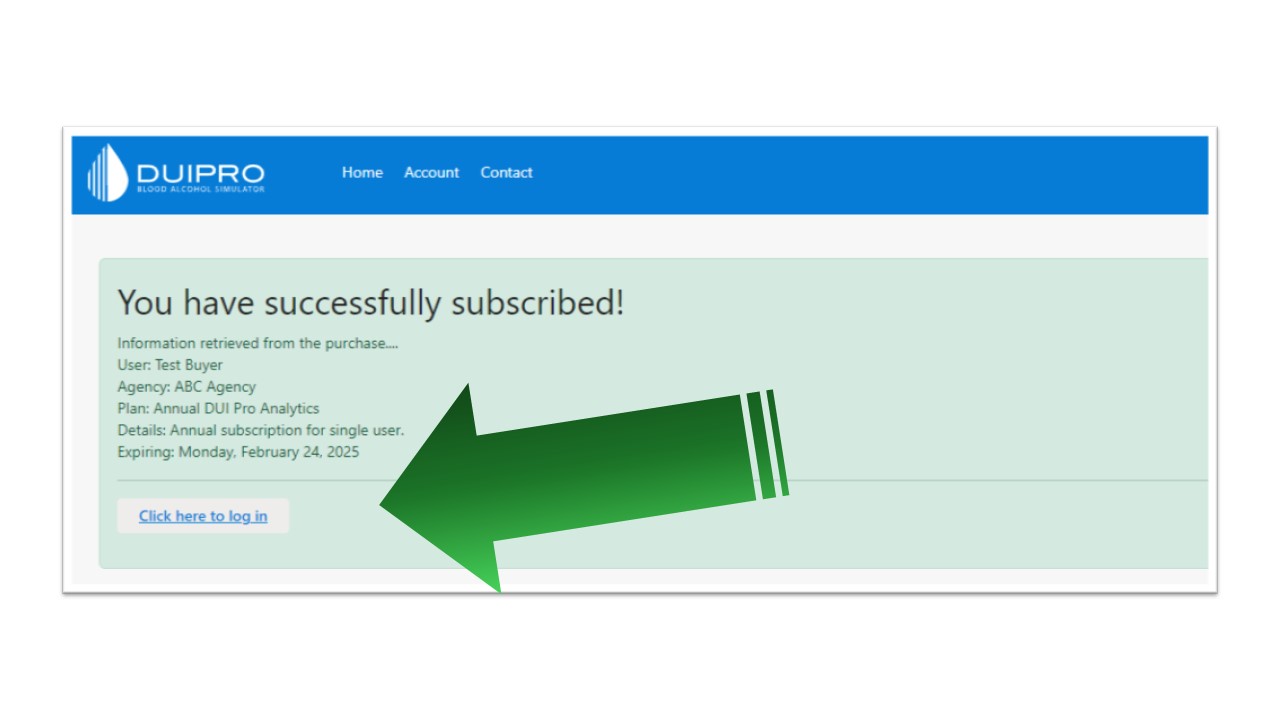
Return after successful subscription
After checkout, return to the application and log back in so the account status can refresh.
Confirm
Confirm licensed access
The final screens show the elevated access state and the simulator controls available to a licensed account.
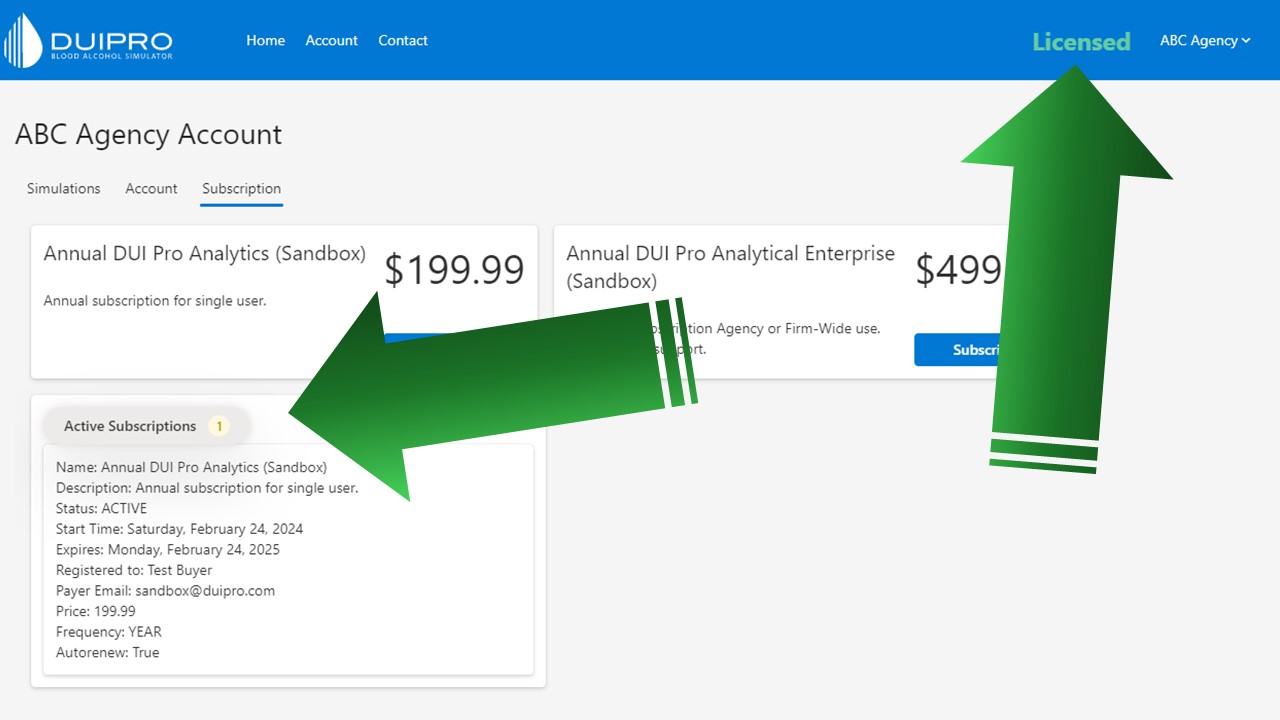
Confirm elevated account status
The account interface confirms that subscription access is active before the user resumes full simulator work.
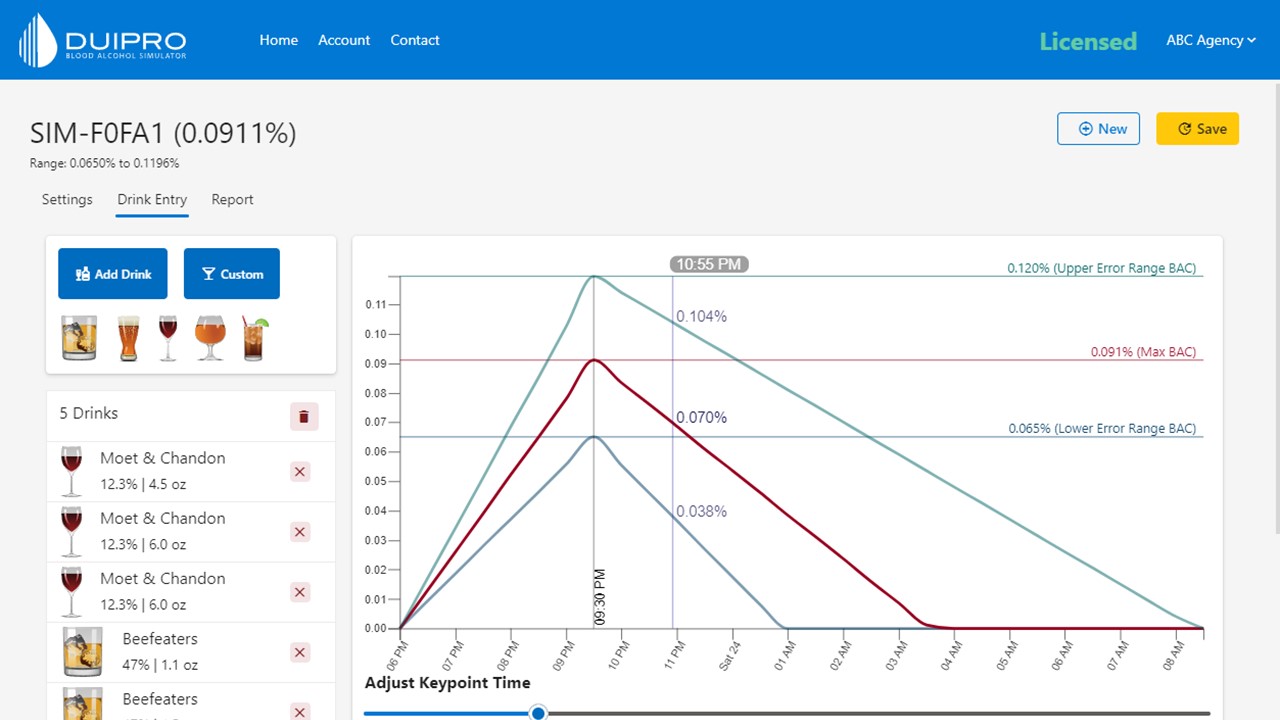
Open full simulator access
The licensed account can now use the simulator with full access to the professional workflow controls.