What changed?
The simulator no longer has to treat every drink as evenly pooled across the consumption window. Each drink can carry its own modeled start time and consumption length.
Why it matters
Front-loaded, back-loaded, stacked, or overlapping drinking patterns can materially change peak timing, keypoint BAC, and whether a selected event falls during rising BAC.
How it reports
The Timing Model preserves drink placement and consumption length as visible assumptions that can be shown in the UI, BAC chart, and PDF report materials.
Granular timing
The drinking timeline is now a modeled input, not just a start and stop range.
Traditional simulator workflows often spread all consumed alcohol evenly across the reported drinking period. That is useful when the record only supports a linear assumption, but many case reviews involve more specific timing: early shots, late mixed drinks, overlapping servings, post-event drinking claims, or a short burst of high-volume consumption. The Timing Model gives the user a practical way to document those assumptions.
Simulator captures
Timing controls in the current BAC simulator
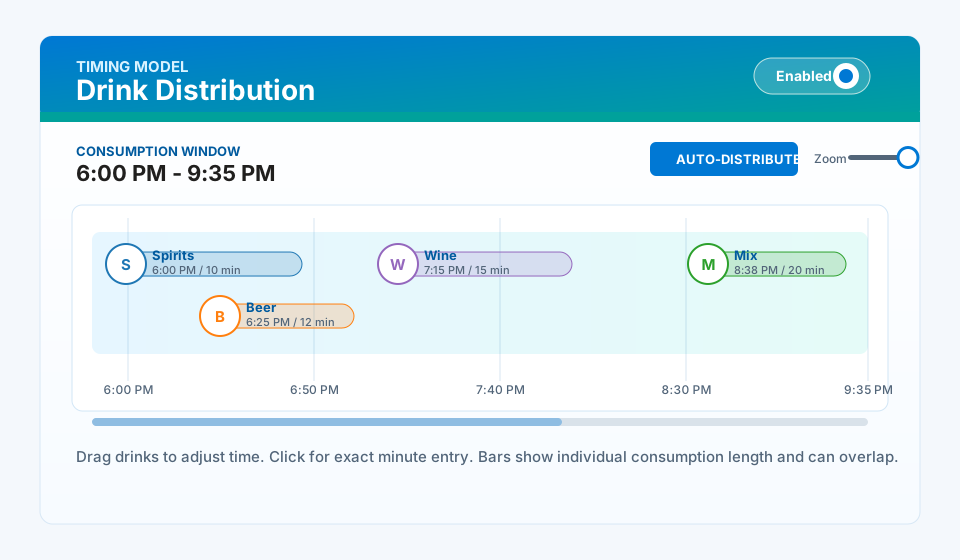
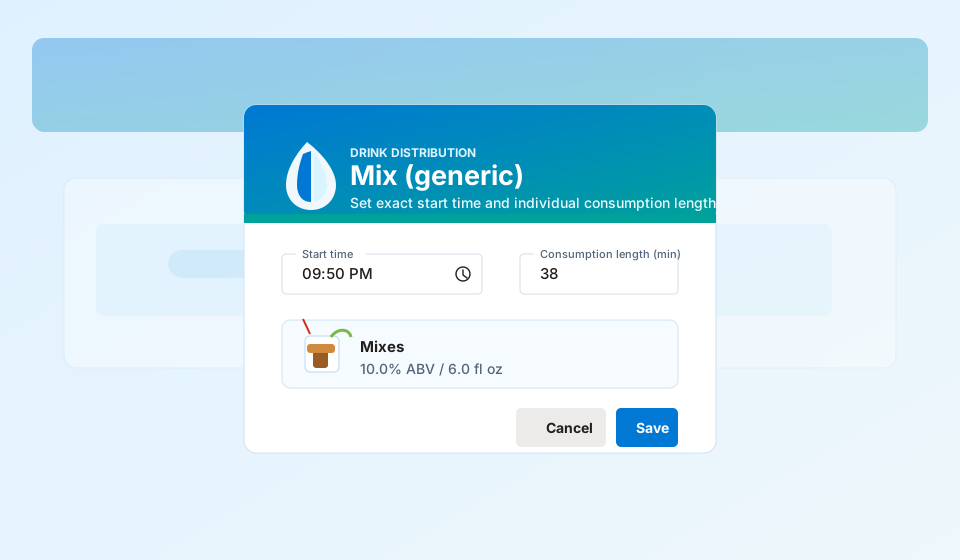
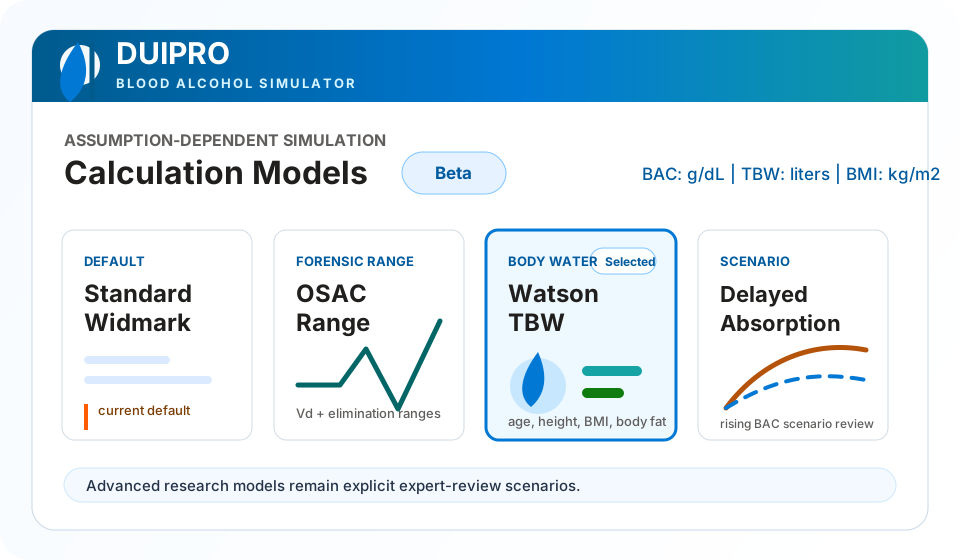
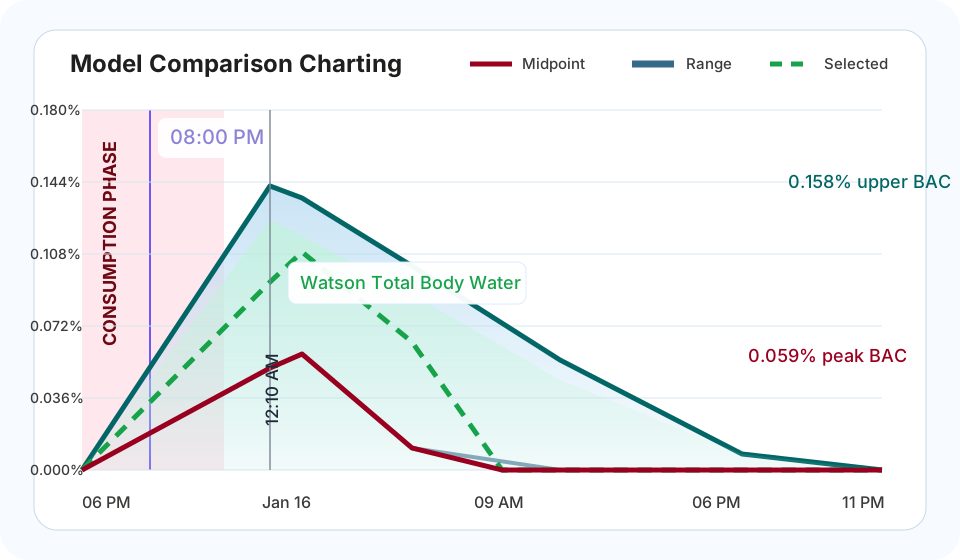
These screen captures show the new Timing Model in context with drink entry, model selection, chart overlays, and report annotation features.
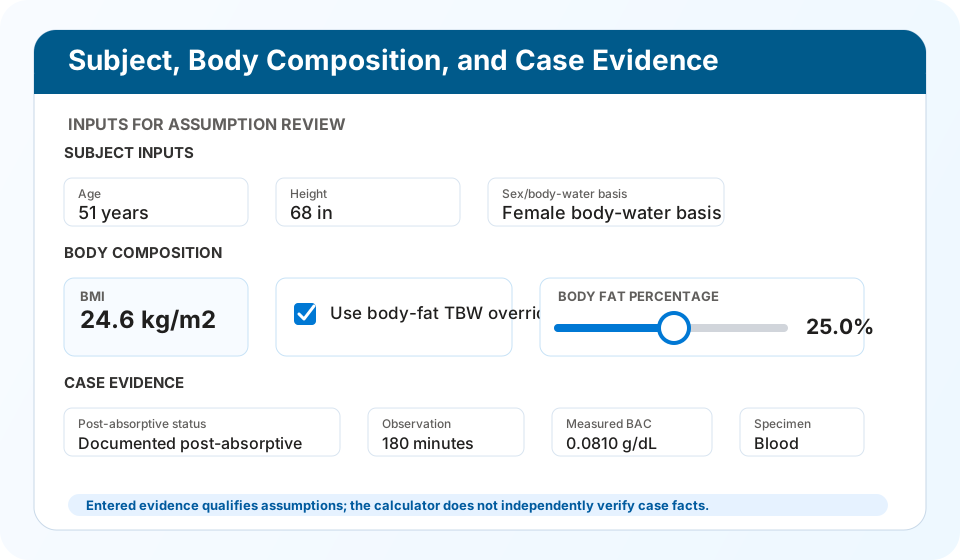
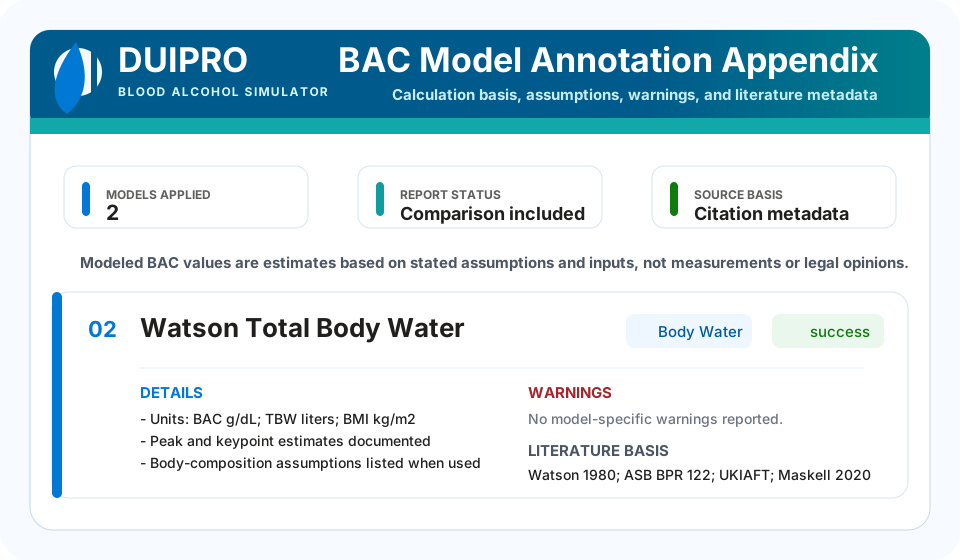
Workflow
How the Timing Model is used
The control remains optional so existing simulations can keep the familiar evenly distributed drinking pattern unless the user enables per-drink timing.
Enable Drink Distribution
Turn on the Timing Model in Drink Entry when the drinking history should be modeled drink-by-drink instead of evenly pooled across the consumption window.
Place drinks visually
Drag existing drinks on the timeline, drag quick-add beverages onto the timing lane, or allow drinks to stack vertically when multiple servings are modeled close together.
Enter exact minutes
Click a drink on the timeline to open the timing dialog and enter the exact start time and individual consumption length for that drink.
Zoom and refine
Use the zoom control for fine adjustment when drinks occur close together or when the keypoint falls inside a short consumption period.
Auto-distribute when appropriate
Use Auto-Distribute to return to an even spacing assumption when the facts do not support asymmetric placement.
Review model impact
Compare the resulting BAC chart and optional models, then export a report that identifies the timing assumptions used in the calculation.
Model comparison
Drink timing changes what the optional BAC models are testing.
Per-drink distribution is shared by the active simulator models. A front-loaded pattern can peak earlier. A late drink can make the keypoint fall on a rising curve. Stacked or overlapping drinks can make absorption assumptions more important than the final drink count alone.
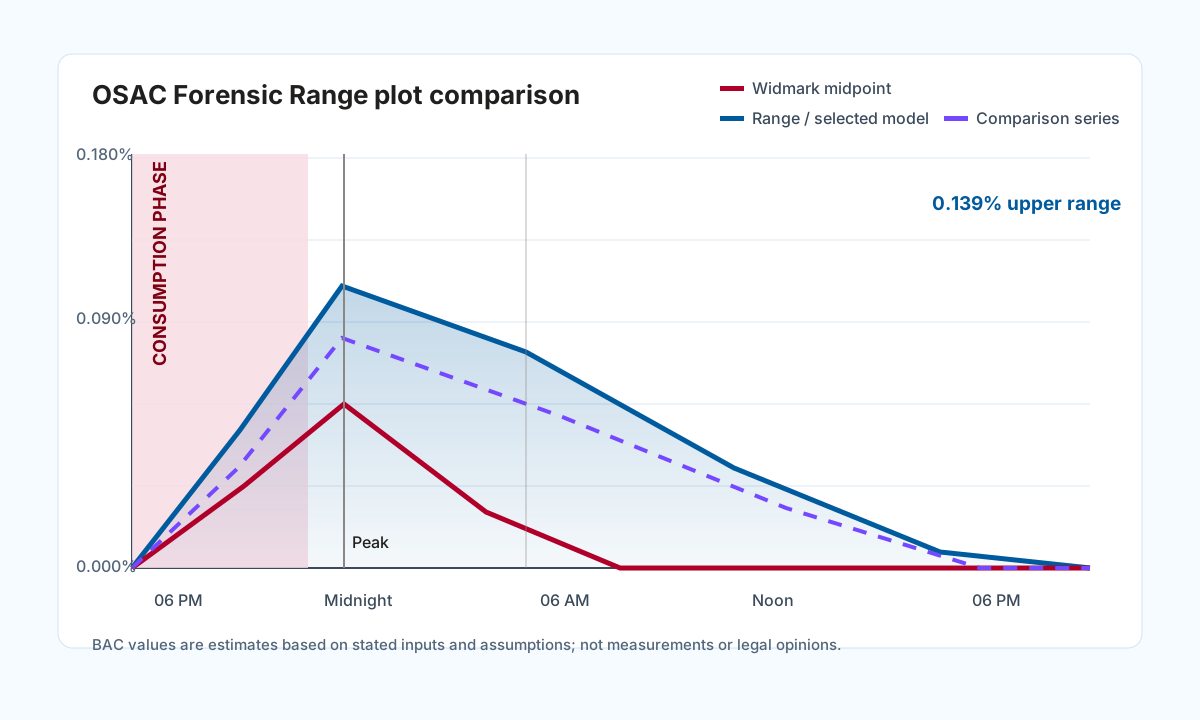 Forensic range
ASB Forensic Range
Range-based output can widen or shift when the timeline changes.
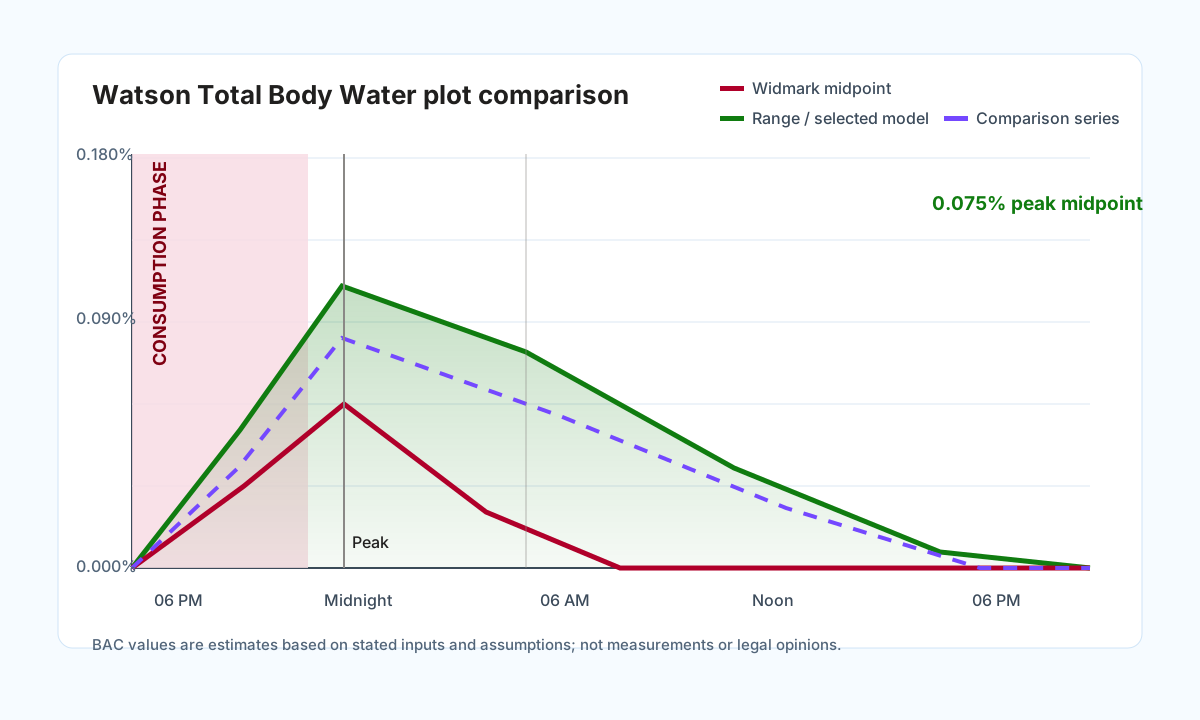 Body water
Watson Total Body Water
Anthropometric body-water assumptions still depend on the modeled dose and timing.
 Research
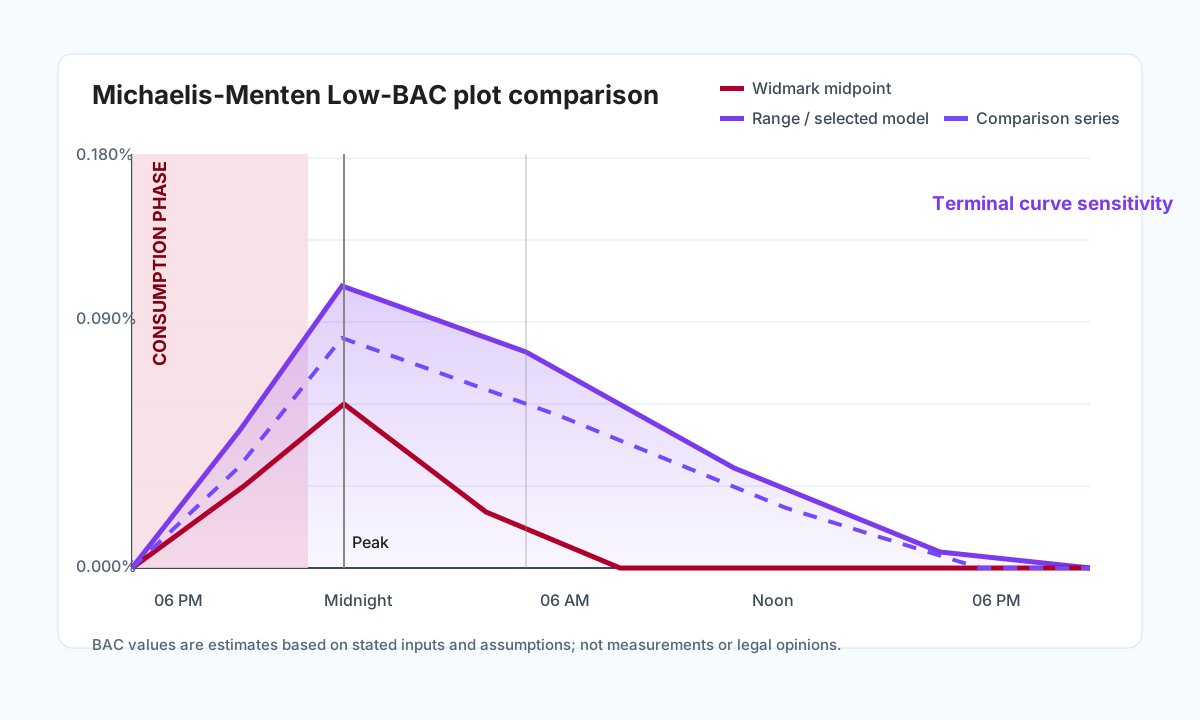
Michaelis-Menten
Low-BAC research review is especially sensitive to curve tail and keypoint placement.
 Research PK
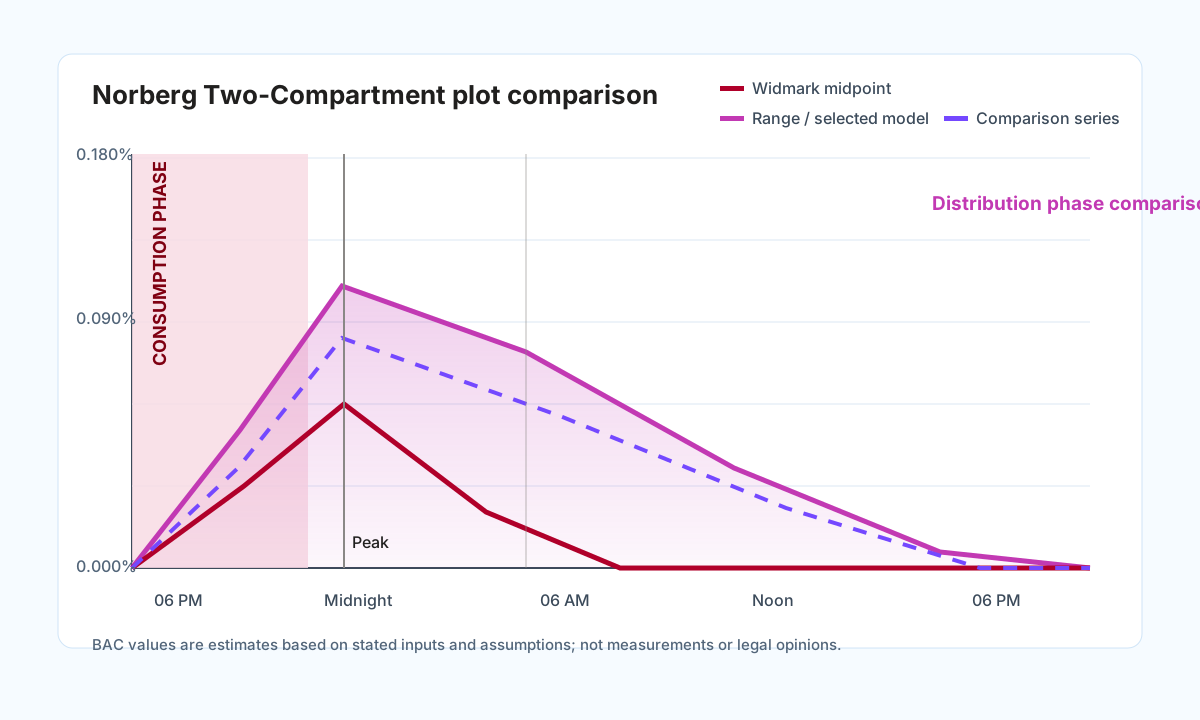
Research PK, Norberg-informed
Compartment-style comparison can make distribution phase and timing sensitivity easier to see.
Professional framing
The timeline records assumptions; it does not prove the drinking history.
A draggable timeline is useful because it makes timing assumptions visible. It does not establish that a drink was actually consumed at that minute, that absorption was complete, or that the modeled curve is a measurement. DUI Professional presents the Timing Model as an assumption-dependent simulator control. Users should document whether each drink placement came from a witness statement, receipt, body camera time, client interview, training hypothetical, or another source.
FAQ
Timing Model questions
Short answers for users evaluating whether the control fits a professional BAC workflow.
Does the Timing Model replace the standard consumption window?
No. The standard start and stop time remain available. Drink Distribution is optional and is used when the user wants individual drinks to have their own start times and consumption lengths.
Can drinks overlap on the timeline?
Yes. Drinks can be placed close together or stacked vertically, and each drink can have an individual consumption bar. This supports intense, overlapping, front-loaded, or back-loaded drinking assumptions.
Does dragging a drink prove that it was consumed at that time?
No. The timeline records the user's assumption. Users should document the source for the placement, such as a statement, receipt, video time, training hypothetical, or other case material.
How does timing affect BAC model comparison?
Changing individual drink times can change absorption timing, peak timing, and keypoint values. Optional models use the same drink-event timing so comparisons stay tied to the entered scenario.
Will timing appear in reports?
The simulator is designed to carry timing assumptions into report output, including the visual timeline and model annotation materials when those report sections are selected.